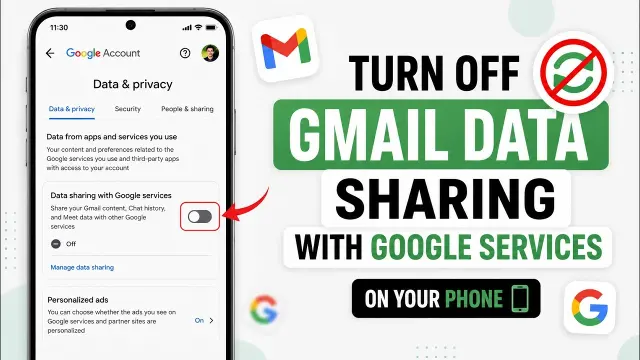
 How to Turn Off Gmail Data Sharing With Google Services
#Privacy Controls
2 ideas
How to Turn Off Gmail Data Sharing With Google Services
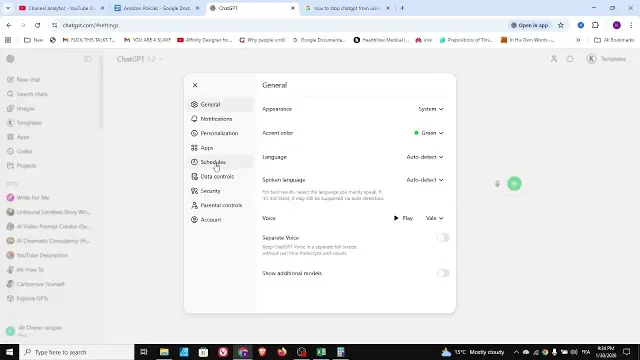 Step-by-Step Guide On How To Turn Off Data Sharing In ChatGPT
Get new #Privacy Controls ideas by email
Every Thursday: the week's best ideas, with the newest from #Privacy Controls.
Related tags
Privacy Controls: A Practical Guide to Managing Your Data
Privacy controls are the settings that let you decide what happens to information about you. They exist inside the accounts, apps and devices you use every day, and they usually sit in two layers: controls that let you choose what other people can see, and controls that decide what the service itself may collect, keep or pass on. Most people only ever touch the first layer, then wonder why they still feel exposed. Knowing the difference is the beginning of using them well.
Where the idea comes from
The notion that a person should be able to see, correct and limit the use of their own data is older than the internet; it grew out of consumer protection and record-keeping laws, and was later written into data protection rules in many countries. What changed with connected software is the scale. A setting that once meant a paper file in a cabinet now governs how your messages, location, contacts and habits travel between companies. Privacy controls are the practical translation of a simple principle: consent should be informed, and it should be revocable.
The main kinds of controls
Read more
- Visibility settings: who can see your profile, posts, photos, phone number or activity. Usually the most familiar, and the easiest to check.
- Data sharing and connected apps: permissions you granted once to a third-party service and probably forgot. These often persist long after you stop using the app that asked for them.
- Advertising and analytics preferences: whether your activity is used to build a profile or measure behaviour.
- Device-level permissions: which apps may reach your camera, microphone, location, contacts or photo library, and whether only while in use or always.
- Download, export and delete: your right to take a copy of your data or ask for it to be erased.
What beginners should know
Defaults are chosen by the company, not by you, and they tend to favour collection. Nothing is broken about that, but it means the untouched account is rarely the most private one. Also, "off" in one place does not mean "off" everywhere: an app can respect a device permission and still collect the same information through your account, and vice versa.
Practical habits help more than a single sweep. Once or twice a year, open the privacy or security settings of each account you actually use and read the data-sharing section. Revoke access for apps you no longer recognise. Restrict location and microphone permissions to the moments an app genuinely needs them. Turn on two-factor authentication where offered, and treat it as part of privacy rather than only security. Use the export tool to see what a service holds about you; it is often the clearest picture you will get.
Finally, accept that controls are imperfect. They reduce exposure, they do not erase it, and some collection is baked into how a service works. Read the prompt when it appears, choose deliberately, and revisit the choice later. That habit, repeated, is worth more than any single setting.
#Privacy Controls: frequently asked questions
Where do I actually find privacy controls?
They live inside each account, app and device you already use, usually under a privacy or security section in settings. Look for two separate areas: one covering who can see your content, and another covering what the service itself is allowed to collect or share. Device settings are a third place worth checking, since they govern what apps can reach on the hardware.
What is the difference between visibility settings and data-sharing settings?
Visibility settings decide what other people can see — your profile, posts, photos or activity. Data-sharing and advertising preferences decide what the company itself may collect, keep or pass on, which is invisible to you and therefore easy to overlook. Most people adjust only the first kind and then wonder why they still feel exposed.
Why does a fresh account feel less private than an old one?
Defaults are chosen by the service, not by you, and they generally lean toward collecting and sharing more rather than less. An account you never touched is running on someone else's idea of reasonable, so it is rarely the most private version. Going through the data-sharing section yourself is what changes that.
Is switching off one setting enough to be private?
No — 'off' in one place does not mean 'off' everywhere. An app can respect a device permission and still gather the same information through your account, and the reverse is also true, so the layers need checking separately. Permissions you granted to connected apps long ago often survive after you stop using those apps, so revoking what you no longer recognise matters too.
How do I keep on top of privacy controls without it becoming a chore?
Small repeated habits work better than one big sweep. Every so often, open the privacy settings of the accounts you genuinely use, read the data-sharing section, cut location and microphone access back to when an app truly needs it, and switch on two-factor authentication where it is offered. Using the export tool to see what a service holds about you gives the clearest picture of what is actually going on.
What are the most common mistakes people make?
The usual ones are accepting whatever prompt appears without reading it, assuming a setting made in one place covers everything, and never revisiting a choice made long ago. Remember that controls reduce exposure rather than erase it, so choose deliberately and come back to the decision later.
Videos come from YouTube and posts from Instagram; titles and summaries are our own. All rights belong to their creators.