 A Modern Tour of the R Programming Ecosystem in 2026
#R Programming
13 ideas
A Modern Tour of the R Programming Ecosystem in 2026
 W3Schools R Programming Full Course for Absolute Beginners
 R Programming for Beginners with Student Marks Project
 Step-by-Step Guide to Installing R and RStudio on Windows
 Tips and Tricks for Better Coding and R Programming
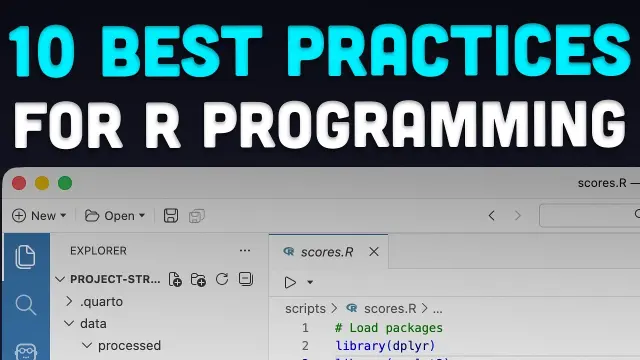 10 Best Practices for Structuring R Programming Projects
 R Programming Professional Training Day One R and RStudio
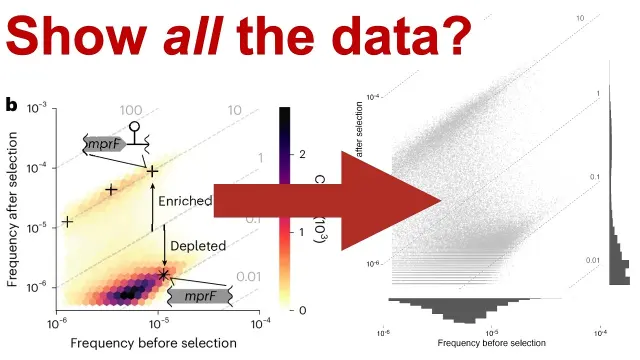 Recreating Figures with Tidyverse in R
 Harvard CS50's Introduction to R Programming Full Course
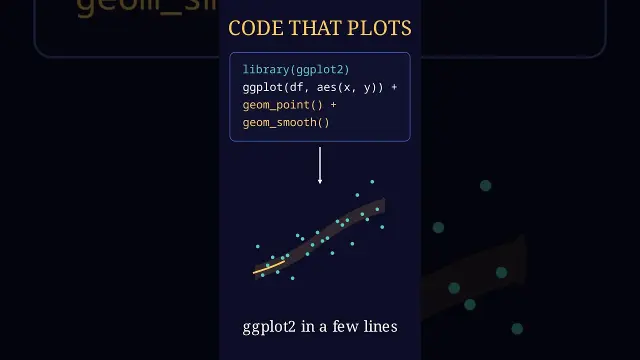 The R Language Built by Statisticians for Data Analysis
 Performing T-Tests and Paired T-Tests with R Programming
 Microsoft R Programming Basics Tutorial in Visual Studio Code
 How to Use Snippets in RStudio to Save Coding Time
Get new #R Programming ideas by email
Every Thursday: the week's best ideas, with the newest from #R Programming.
Related tags
R Programming Guide
R is a programming language and software environment built for working with data. It began as a language for statistics and data analysis, and it is now used for everything from cleaning spreadsheets to making reports, charts, and reproducible research. If you want to explore data, understand patterns, or present findings clearly, R gives you a flexible and expressive way to do that.
What R is used for
R is especially useful when your work involves numbers, tables, or repeated analysis. People use it to:
- inspect and clean data
- calculate summaries and statistics
- create graphs and visual reports
- build dashboards and reports
- automate regular data tasks
- share analyses in a way others can reproduce
Read more
Because R is open and extensible, many people also use it for teaching, research, and collaborative projects.
Why many beginners choose R
R is popular among beginners who want to learn data analysis because it is readable and designed around real analytical tasks. You can start with simple commands and gradually add more structure as your confidence grows. Another strength of R is its large collection of packages, which are add-ons that help you do specific jobs more easily.
If you are new to programming, it helps to remember that R is both a language and a working environment. You write commands, see results quickly, and then refine your approach. That cycle makes it well suited to experimentation.
Main styles and approaches
There are several common ways to work in R:
- base R, which uses the language’s built-in functions
- tidyverse-style workflows, which focus on clear data manipulation and piping steps together
- script-based analysis, where you save commands in a file and run them again later
- literate or reproducible analysis, where text, code, and output are combined in one document
Each style has its place. Base R is useful for understanding core concepts. Tidyverse tools can make data work feel more consistent and readable. Scripted and reproducible workflows are valuable when you want your process to be easy to repeat and review.
What to learn first
A good starting point is learning how to:
- assign values to objects
- work with vectors, lists, data frames, and functions
- read and inspect data
- filter, sort, and summarize tables
- make basic plots
- handle missing values carefully
Try to understand what your code is doing rather than memorizing commands. In R, small mistakes in object names, data types, or function arguments are common at first, so reading error messages calmly is an important habit.
Practical tips for beginners
- Keep your code simple and write it in small steps.
- Save your work in scripts so you can rerun it later.
- Give objects clear, descriptive names.
- Check the structure of your data before you transform it.
- Make plots early, because visuals often reveal problems quickly.
- If a result looks odd, test one step at a time.
Over time, you will find that R is not just a tool for calculations. It is a way to think clearly about data, make your process transparent, and turn raw information into something useful and understandable.
#R Programming: frequently asked questions
What is R programming actually used for?
R is a language and environment built around working with data, so it suits tasks like cleaning tables, summarizing numbers, and producing charts or reports. It is also used to automate repeated analysis and to share work in a way others can rerun and check. Anyone dealing with spreadsheets, patterns, or findings to present will find it a natural fit.
Do I need programming experience before I start learning R?
No — R is often picked as a first language because it is readable and organized around real analytical tasks, so you can begin with simple commands and add structure as you gain confidence. It helps to think of it as both a language and a working environment where you type something, see a result immediately, and adjust. That quick back-and-forth makes it forgiving for experimenting.
What should I learn first in R?
Start with the basics: storing values in objects, working with vectors and data frames, and calling functions. From there, move on to reading and inspecting data, filtering and summarizing tables, and drawing simple plots. Throughout, focus on understanding what your code does rather than memorizing commands, and read error messages calmly — small slips in object names or data types are normal at the start.
Should I use base R or add-on packages?
Base R relies on the built-in functions and is the best way to grasp core concepts, so it is worth getting comfortable with it first. Add-on packages make specific jobs easier and can make data work feel more consistent and readable once you know what is happening underneath. Many people settle into a mix, keeping analysis in saved scripts so the process stays repeatable.
How do I set up my computer to work in R?
You need the R environment itself plus an editor or integrated environment where you can write and run code, and both are freely available. Install R first, then the editor, and confirm a simple command works before adding anything else. Save your work in scripts from the beginning so you can rerun it later.
What mistakes do beginners make most often in R?
Common ones include vague object names, transforming data before checking its structure, and writing long blocks of code that are hard to debug. Keep steps small, name things descriptively, and if a result looks odd, test one piece at a time. Making a plot early often surfaces problems faster than staring at the numbers.
Videos come from YouTube and posts from Instagram; titles and summaries are our own. All rights belong to their creators.