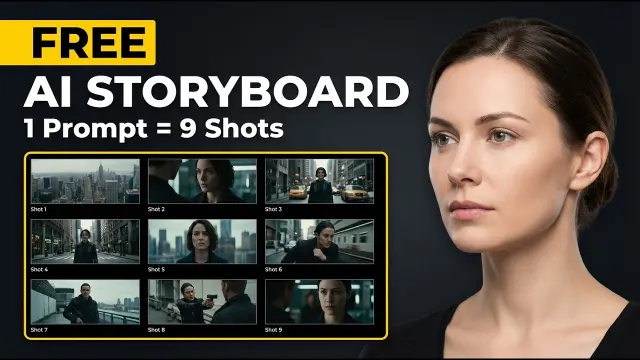
 Create Cinematic Storyboards Using AI Step by Step
#Storyboard Tutorial
2 ideas
Create Cinematic Storyboards Using AI Step by Step
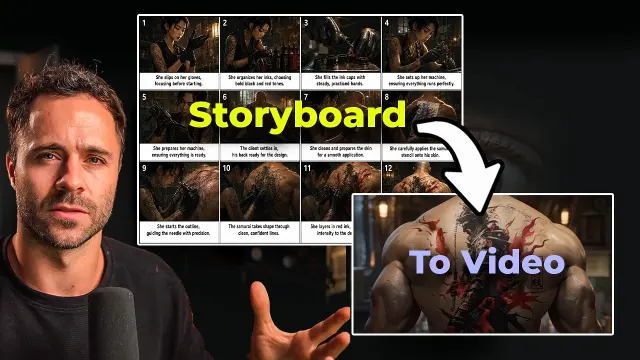 How to Turn a Storyboard into a Video Using AI
Get new #Storyboard Tutorial ideas by email
Every Thursday: the week's best ideas, with the newest from #Storyboard Tutorial.
Related tags
Storyboard Tutorial Guide
What a storyboard is
A storyboard is a sequence of drawings or simple frames that shows how a story, scene, or project will unfold. It is commonly used in film, animation, advertising, video production, and even presentations or events. At its core, a storyboard helps you think visually before you begin the final work. Instead of relying only on memory or written notes, you can see the order of scenes, the key actions, and the flow from one moment to the next.
Storyboard-making has long been a practical tool for visual planning. It grew out of filmmaking and animation, where artists needed a way to organize shots, movement, and timing before production began. Today, it is useful for anyone who wants to communicate an idea clearly and avoid confusion later.
Why people use storyboards
Read more
A storyboard helps you:
- plan the structure of a story or project
- decide what each scene should show
- spot missing details before you start
- keep a team aligned around the same vision
- save time by making changes early
For beginners, the biggest benefit is simplicity. You do not need to be a strong illustrator to make a useful storyboard. Clear stick figures, rough shapes, arrows, and short notes are often enough. What matters most is communication, not artistic perfection.
Main parts of a storyboard
A typical storyboard includes:
- a series of panels or frames
- a brief description of what happens in each frame
- notes about camera angle, movement, dialogue, or action if needed
- arrows or marks to show direction or motion
Some storyboards are very simple and only show the order of events. Others are more detailed and include shot types, close-ups, transitions, and timing. The right level of detail depends on your project.
How to make one
Start by writing the story or plan in a few clear steps. Then break it into scenes or beats. Ask yourself:
- What happens first?
- What does the viewer need to notice?
- What changes from one moment to the next?
- Which images best explain the action?
After that, sketch each panel in order. Keep the composition easy to understand. If the scene involves movement, use arrows or short labels to show where people, objects, or the camera should go. Add notes only where they help clarify the idea.
Useful tips for beginners
- Keep each panel focused on one main idea
- Use simple drawings if that helps you work faster
- Think in sequence, not in isolated images
- Match the level of detail to the purpose of the project
- Review the storyboard as a whole to check pacing and clarity
A good storyboard does not need to be polished. It needs to be understandable. If someone else can follow the flow of your idea, the storyboard is doing its job.
#Storyboard Tutorial: frequently asked questions
Do I need drawing skills to make a storyboard?
No. A storyboard exists to communicate flow, not to look polished, so stick figures, rough boxes, arrows and a few words are usually enough. If a panel is clear enough that another person understands what happens and what the camera or subject does, it has done its job.
What do I need before I start sketching panels?
Start with the story or plan written out in a few plain steps, then break it into scenes or beats so you know what each panel has to show. From there, paper or a simple template with empty frames, a pencil and short notes cover almost everything you need. Fancy tools help later, not at the beginning.
How much detail should each panel include?
Match the detail to the purpose: a quick plan for yourself can stay loose, while a board you hand to other people usually needs notes on shot type, movement and action. Add labels only where they clarify something a sketch can't show on its own. Overloading every frame with notes tends to hide the flow instead of revealing it.
What mistakes do beginners usually make?
The common ones are treating each panel as a standalone picture instead of part of a sequence, and cramming several actions into a single frame so the pacing disappears. Another frequent slip is skipping the review step, where you read the whole board in order and notice gaps, repeated beats or confusing transitions. Fixing those early is far easier than fixing them after production starts.
Can a storyboard be turned into a video with AI tools?
Yes, that is a growing use for boards: you sketch the sequence, then feed the frames and descriptions into a video tool to get a rough animated version. It works best when your panels are consistent in style and each one is described in plain language, since the tool can only follow what you spelled out. Treat the result as a draft to review, not a finished piece.
Is a storyboard only for film and video projects?
Not at all. The same sequence-of-frames thinking helps with presentations, event planning, advertising ideas, recipes, craft steps and anything else where order and clarity matter. Any time you would otherwise explain a process in a long paragraph, a short row of simple frames usually communicates it faster.
Videos come from YouTube and posts from Instagram; titles and summaries are our own. All rights belong to their creators.