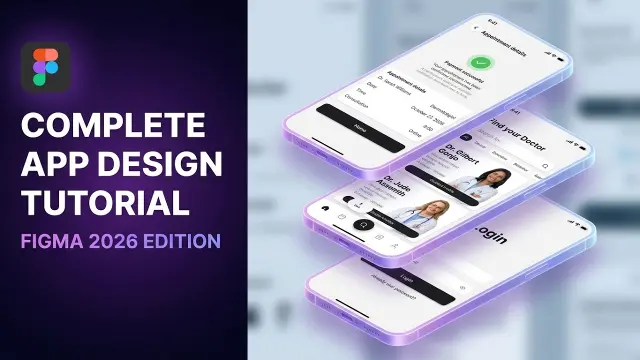
Design a Modern Mobile App From Scratch in Figma
A comprehensive tutorial on building a complete modern mobile app user interface from scratch using Figma.
YouTube · The Virgo Design · 30 June 2026 Watch on YouTube
Tried this idea? Show how yours turned out.
I made this#Figma #FigmaTutorial #MobileAppDesign #UIDesign #UXDesign #UIUXDesign #ProductDesign #FigmaUI #AppDesign #DesignChallenge #MobileUI #DesignTutorial #UserInterface #UserExperience #UI2026
How to do it
What you need
- Figma 2026
- Layout grids
- Color palette
- Doctor profile images
- Text properties / styles
- Prototype interaction settings
Step by step
- Set up layout grids and a color palette as the foundation.
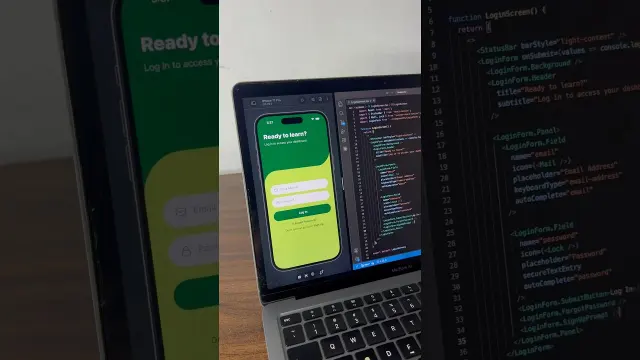
- Design the login and sign-in screens.
- Build the dashboard header with a personalized greeting.
- Add doctor profile cards and remove the backgrounds from the photos.
- Define text properties and consistent spacing across screens.
- Design the prescription and visit history cards.
- Build the booking calendar, then add time slots and appointment confirmation.
- Add category chips and search functionality to the navigation.
- Apply shadows and depth layers, then refine button states and hover effects.
- Finish by wiring the prototype and preparing the file for design handoff.
Tips
- Fix your grid and palette before designing screens — every later screen inherits them.
- Reuse text styles and spacing values so the whole app stays consistent as it grows.
- Check button states and hover effects early; they are easy to forget before prototyping.
Written by Tagrazzi from the original's description and photo.
The title and summary are written by Tagrazzi; the video belongs to its creator and plays from YouTube.







Comments (0)
No comments yet. Be the first to comment.
Sign in to write a comment.