
Beginner Website Wireframing Tutorial Using Wix Studio
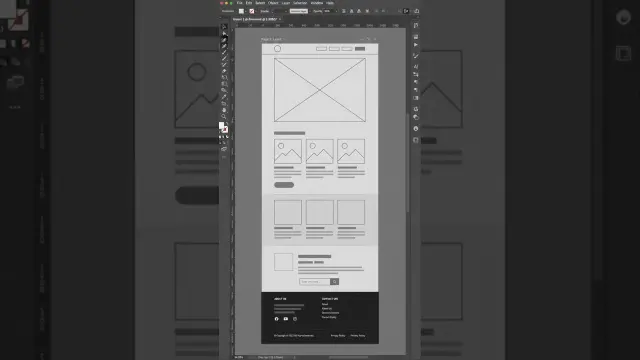
Learn how to wireframe a website step by step using a landing page example and transition your design to Wix Studio.
YouTube · Aliena Cai · 9 April 2026 Watch on YouTube
Tried this idea? Show how yours turned out.
I made thisHow to do it
What you need
- Wix Studio
- wireframe templates
- design inspiration references
- landing page copy
- placeholder visuals
- client or peer feedback
Step by step
- Open Wix Studio and get familiar with the canvas
- Pick a wireframe template to structure the landing page
- Clarify goals, audience and content before designing
- Collect design inspiration from strong examples
- Sketch several wireframe ideas, then pick the best one
- Write the headline, subtext and call-to-action copy
- Choose placeholder visuals for images and logo
- Keep every element at one level of fidelity and save versions
- Get feedback early, then build the real page in Wix Studio
Tips
- Stay at a single level of fidelity so the wireframe reads as structure, not final design
- Keep separate versions of your wireframe so you can compare and revert
- Ask for feedback early instead of relying only on AI to judge the layout
Written by Tagrazzi from the original's description and photo.
The title and summary are written by Tagrazzi; the video belongs to its creator and plays from YouTube.











Comments (0)
No comments yet. Be the first to comment.
Sign in to write a comment.