 Step-by-Step Wireframe Tutorial Using Lucidchart
#Website Wireframe
6 ideas
Step-by-Step Wireframe Tutorial Using Lucidchart
 Beginner Guide to Creating Website Wireframes in Figma
 Beginner Website Wireframing Tutorial Using Wix Studio
 Automating Website Wireframes in WordPress Using AI
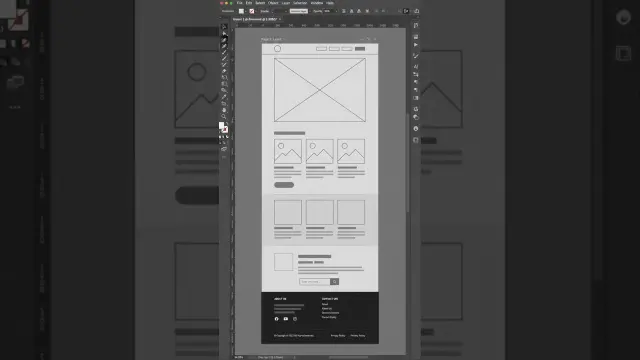 Building a Professional Website Wireframe from Scratch
 Complete Beginner Guide to Mastering Wireframing in Figma
Get new #Website Wireframe ideas by email
Every Thursday: the week's best ideas, with the newest from #Website Wireframe.
Related tags
Website Wireframes: A Simple Planning Guide
What a website wireframe is
A website wireframe is a simple visual blueprint for a web page or a whole site. It shows the structure of content, navigation, and key actions without focusing on colors, fonts, or detailed styling. Think of it as the planning stage that helps you decide where things belong before you build the finished design.
Wireframes are used in the early parts of website planning because they make layout decisions easier to test and discuss. They help you and anyone involved in the project focus on usability, page flow, and priorities instead of surface details.
Why wireframes matter
Read more
A good wireframe saves time later. It helps you spot problems early, such as crowded sections, unclear calls to action, or confusing navigation. It can also make conversations between designers, writers, clients, and developers much clearer because everyone can see the same basic structure.
Wireframes are especially useful when a site has many pages or different types of content. They help you decide what each page needs to do and what the user should notice first.
Common types of wireframes
Wireframes can be created at different levels of detail:
- Low-fidelity wireframes are quick sketches or simple boxes and lines. They are best for exploring ideas.
- Mid-fidelity wireframes are more organized and precise. They often show hierarchy, spacing, and content order more clearly.
- High-fidelity wireframes include more detail, but still stop short of full visual design.
You may also wireframe different page types, such as a homepage, product page, article page, contact page, or landing page. Each type has its own purpose, so the layout should support that purpose.
What to include
A wireframe usually shows the main building blocks of a page, such as:
- Header and navigation
- Logo placement
- Main headline or page title
- Introductory text
- Images or media placeholders
- Buttons or other actions
- Content sections
- Footer
You do not need to include final copy or polished visuals at this stage. The goal is clarity, not decoration.
How to approach wireframing
Start with the user’s goal. Ask what someone needs to do on the page, then arrange the most important content first. Keep the layout simple and focused. If a page has too many elements, a wireframe can help you remove or combine what is unnecessary.
As you work, think about hierarchy. The most important content should stand out first, followed by supporting details. Also consider how the page will feel on different screen sizes, since a layout that works well on desktop may need to be rearranged for smaller devices.
Tips for beginners
If you are new to wireframing, keep these habits in mind:
- Begin with rough sketches before moving to digital tools
- Use simple shapes and labels
- Focus on structure, not style
- Compare more than one layout option
- Review the wireframe with others before polishing it
A wireframe does not need to be perfect. Its purpose is to make ideas visible, test the flow of a page, and create a strong foundation for design and development. When you treat it as a planning tool, you make the rest of the website process much smoother.
#Website Wireframe: frequently asked questions
How do I start creating a website wireframe if I’m a beginner?
Start by thinking about the user’s main goal on the page, then sketch the layout in rough blocks before worrying about design details. Keep the first version simple so you can test where content, navigation, and actions should go.
What should a website wireframe include?
A wireframe should show the basic structure of the page, such as the header, navigation, main heading, content sections, images, buttons, and footer. It is meant to map out where things belong, not to show final colors, fonts, or polished visuals.
Which type of wireframe should I choose: low, mid, or high detail?
Choose a low-detail wireframe when you want to explore ideas quickly and compare layouts. Use a mid-detail or higher-detail version when you need to show hierarchy, spacing, and content order more clearly to others.
How do I make sure my wireframe is useful and not too messy?
Focus on the most important content first and remove anything that does not help the page’s purpose. A clean wireframe should make the flow easy to understand and show what the user should notice first.
What are common mistakes to avoid when wireframing a website?
A common mistake is spending too much time on visual styling before the structure is clear. Another is putting too many elements on the page, which can hide priorities and make navigation harder to follow.
Can wireframes help when planning different page types for a site?
Yes, because different pages often have different goals, so their layouts should support those goals. A homepage, product page, article page, or contact page may all need a different structure to guide the visitor effectively.
Videos come from YouTube and posts from Instagram; titles and summaries are our own. All rights belong to their creators.