
Beginner Guide to Creating Website Wireframes in Figma
Step-by-step tutorial on mapping layouts and structuring content to build an effective website wireframe in Figma.
YouTube · Megan Weeks · 8 April 2026 Watch on YouTube
Tried this idea? Show how yours turned out.
I made this#graphicdesign #websitedesign #figma
How to do it
What you need
- Figma
- Desktop or laptop
- Website content (text and images) to place
Step by step
- Create a new Figma file and add a frame sized for a desktop screen.
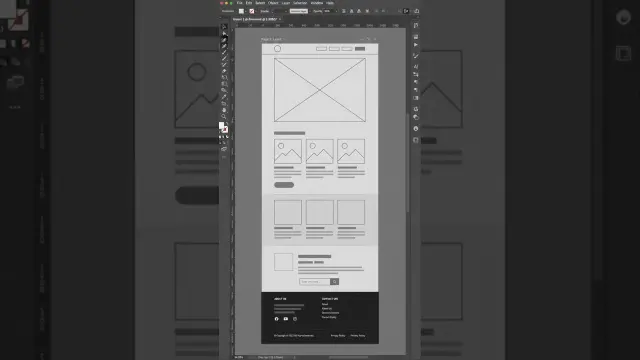
- Build the header: place a logo on the left, navigation links (home, menu, contact) and a search bar on the right.
- Block out the hero area with a large headline and placeholder boxes for the main image or images.
- Add content sections below the hero, such as a short intro block, a location block with a map icon, and a menu section with a button.
- Fill every area with grey placeholder boxes and dummy text instead of final visuals.
- Check that the order of sections tells the visitor what the site offers and what to do next, then tidy spacing and alignment.
Tips
- Wireframe with placeholders only — save colours, photos and fonts for the visual design stage.
- Map the layout and content structure before touching styling so you make fewer changes later.
- Design the homepage around what should convert the visitor, not around decoration.
Written by Tagrazzi from the original's description and photo.
The title and summary are written by Tagrazzi; the video belongs to its creator and plays from YouTube.









Comments (0)
No comments yet. Be the first to comment.
Sign in to write a comment.