 Beginner Tutorial: Making Videos and Images With Free AI Tools
#AI Video
5 ideas
Beginner Tutorial: Making Videos and Images With Free AI Tools
 Free Open-Source AI Tools That Can Replace Paid Subscriptions
 How to Turn a Storyboard into a Full AI Video
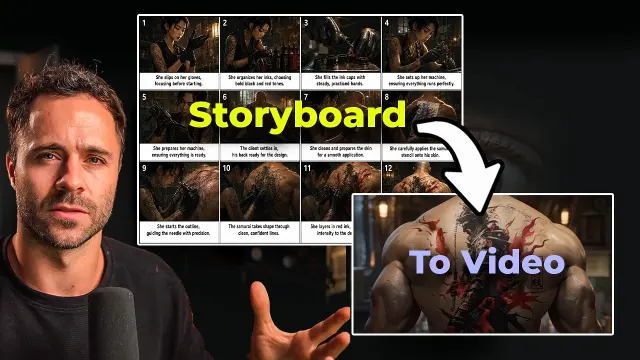 How to Turn a Storyboard into a Video Using AI
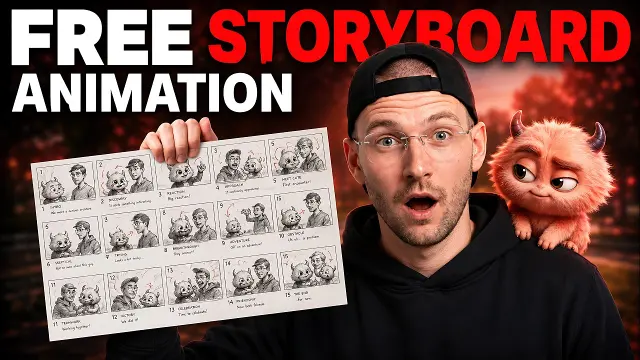 How to Turn Storyboards into Videos with Free AI Tools
Get new #AI Video ideas by email
Every Thursday: the week's best ideas, with the newest from #AI Video.
Related tags
AI Video: A Beginner’s Guide
AI video refers to videos that are created, edited, enhanced, or animated with the help of artificial intelligence. Instead of doing every step by hand, you can use AI tools to speed up parts of the process, from writing scenes and generating visuals to adding voice, captions, or simple motion. It is used for social media clips, explainer videos, marketing content, story-based pieces, presentations, and creative experiments.
AI video does not mean one single technique. It covers a range of methods. Some tools generate a video from a text prompt. Others turn still images, storyboards, or scripts into moving scenes. Some help with editing by removing pauses, cutting filler words, resizing footage, or creating subtitles automatically. In practice, AI video often combines several tools rather than replacing the whole creative process.
Common types of AI video
There are a few main ways people use AI for video. Text-to-video tools create short clips from written prompts. Image-to-video tools animate a photo, illustration, or frame. Script-to-video tools help you turn a written idea into a sequence of scenes. There are also tools for voice generation, captioning, background cleanup, and scene extension. If you are making a more polished project, you may use AI for planning and editing while still filming some parts yourself.
Read more
What beginners should know
Start with a clear purpose. AI video works best when you know what you want the finished piece to do. A simple idea, a short script, and a few visual references usually give better results than a vague prompt. If you are working from a storyboard, keep each scene focused and easy to describe. Shorter clips are often easier to control than long ones.
Expect some trial and error. AI tools can produce surprising results, but they may also miss details, shift styles between scenes, or create movement that looks unnatural. That is normal. You often get better results by refining your prompt, simplifying the scene, or generating several versions and choosing the strongest one.
Practical tips for better results
- Keep prompts specific. Mention the subject, setting, mood, movement, and style.
- Use simple scenes first. Clear compositions are easier for AI to interpret.
- Stay consistent. Reuse similar descriptions, colors, and camera ideas across scenes.
- Check timing carefully. Make sure transitions, voice, and captions match the visuals.
- Edit after generation. Even a good AI clip usually benefits from trimming and sequencing.
- Respect image rights and privacy. Only use material you are allowed to use.
AI video is most useful when you treat it as a creative assistant rather than a complete replacement for your own eye. It can help you move from idea to draft quickly, test concepts, and make video production more accessible. With a bit of practice, you can use it to build clean, engaging videos while still keeping your own style and judgment.
#AI Video: frequently asked questions
How do I get started with AI video if I’m a beginner?
Start with one clear goal, such as a short social clip, an explainer, or a simple creative scene. A short script, a few visual references, and a focused prompt usually work better than trying to do everything at once.
What do I need to make an AI video?
At minimum, you need an idea and a tool that fits your workflow. You can begin with text prompts, a storyboard, or still images, then use AI for visuals, motion, voice, captions, or editing support.
Which type of AI video should I choose: text-to-video, image-to-video, or script-to-video?
Choose text-to-video when you want a clip created from a prompt, image-to-video when you already have a photo or illustration to animate, and script-to-video when you want to turn a written idea into scenes. If you already have footage, AI editing tools can help polish it without starting from scratch.
What are the most common mistakes people make with AI video?
One common mistake is using prompts that are too vague, which often leads to random or inconsistent results. Another is expecting the first output to be perfect, when better results usually come from simplifying the scene, refining the prompt, and trimming the final cut.
How can I make my AI video look more polished and consistent?
Keep the subject, style, colors, and camera direction consistent across scenes. It also helps to check the timing carefully and edit after generation so the transitions, voice, and captions match the visuals.
What kinds of projects work well with AI video?
AI video is a strong fit for social content, marketing pieces, presentations, story-based videos, and quick creative experiments. It is especially useful when you want to move from an idea or storyboard to a draft quickly while still keeping your own style.
Videos come from YouTube and posts from Instagram; titles and summaries are our own. All rights belong to their creators.